
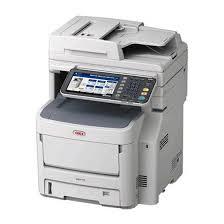
If you’ve ever owned an OKI printer, you know these machines are built for reliability. They’re often found in offices that print thousands of pages per month, as well as in creative environments where sharp colors and consistent output matter. But even the most dependable printer can become frustrating when something goes wrong—paper jams, toner issues, confusing error codes. That’s when the manual stops being “optional reading” and turns into your best troubleshooting partner.
I’ve worked with OKI printers for years, from compact desktop models to heavy-duty multifunction devices, and I can tell you this: the difference between smooth operation and wasted time often comes down to how well you understand your manual.
Why OKI Manuals Are More Valuable Than You Think
Most people only glance at their printer’s guide once—when they set it up for the first time. After that, it usually gets shoved in a drawer, lost in a box, or ignored completely. But OKI manuals are packed with information that can save you money and keep your printer running longer.
Here’s what they actually do for you:
-
Clear setup instructions – Printers may look simple on the outside, but proper installation matters. From driver configuration to loading specialty paper, the manual helps you avoid rookie mistakes.
-
Error code explanations – Those cryptic two- or three-digit codes that suddenly appear on the screen? The manual is the only reliable source for understanding what they mean.
-
Maintenance guidelines – OKI printers can last for years if you replace consumables at the right time and clean sensitive parts properly. Manuals lay out the exact intervals.
-
Advanced features – Duplex printing, secure document release, and color calibration aren’t always obvious. Without the manual, you may never realize your printer can do more than “print and go.”
Common Problems Solved by Reading the Manual
Let’s be honest: nobody wants to dig through a technical document when they’re under deadline. But the time you spend with a manual pays off later.
-
Paper jams: Instead of yanking paper out and risking damage, the manual shows the correct method—step by step, often with diagrams.
-
Print quality issues: Streaks, faded text, or blotches usually have a clear cause, such as worn fusers or dirty rollers. The manual tells you how to diagnose and fix them.
-
Network setup problems: OKI network printers can be intimidating if you’re not an IT specialist. Manuals break down the configuration into manageable steps.
-
Replacing consumables: Toner cartridges, drums, and belts all have specific handling instructions. Follow them, and you’ll avoid spills, misalignment, or premature wear.
Digital Access: Finding OKI Manuals Online
The reality is, most of us misplace the physical booklet within a few weeks of unboxing the printer. Luckily, digital access has changed everything. Instead of calling support or guessing your way through a problem, you can simply download the right document.
One of the most reliable sources is https://manuals.online/oki. This resource organizes OKI manuals by model, making it easy to grab the exact guide you need. Whether you’re using a compact B-series printer at home or a larger C-series color printer in the office, you’ll find the right instructions without digging through dozens of irrelevant files.
How Manuals Extend the Life of Your Printer
A printer is an investment. An entry-level device may cost a couple hundred dollars, but higher-end OKI machines can run into the thousands. Protecting that investment means taking care of it properly.
From personal experience, I’ve seen offices replace printers prematurely because no one bothered with basic maintenance. Dust buildup, worn parts, and misuse eventually took their toll. Ironically, the manuals contained every piece of information they needed to keep the machines working another three to five years.
A few practical examples:
-
Cleaning schedules prevent toner from clumping inside the machine.
-
Replacing drums at the recommended intervals maintains sharp print quality.
-
Adjusting paper settings avoids stress on feed rollers.
Examples From Real Office Use
-
Small business owner: A friend of mine constantly battled paper jams in his OKI printer. After finally checking the manual, he realized he was loading the wrong type of paper in the wrong tray. Problem solved instantly.
-
Marketing team: They struggled with color consistency on brochures. The manual’s section on color calibration helped them align the printer properly, saving them from outsourcing the job.
-
IT department: Error code 543 kept appearing on a network printer. Instead of calling for service, they used the manual to trace it back to a simple fuser reset.
These aren’t rare cases—they’re everyday examples of how a quick read can make a big difference.
Who Really Needs These Manuals?
-
Office managers: To reduce downtime and avoid costly service calls.
-
Home office workers: To get the most out of a compact printer without unnecessary frustration.
-
IT professionals: To troubleshoot quickly and keep larger fleets running efficiently.
-
Anyone replacing consumables: Because toner and drum mishandling is one of the fastest ways to damage a printer.
OKI printers are designed to last, but they need proper care—and the manual is your best teacher. Skipping it may not cause problems right away, but eventually, it will cost you in wasted supplies, downtime, and repairs.
If you can’t find the paper copy that came with your machine, don’t panic. Digital access makes it easier than ever to stay informed. The next time your printer flashes an error code or your prints don’t look quite right, take a few minutes to consult the right resource. Start with https://manuals.online/oki and keep your printer performing at its best.

 English
 Arabic
 French
 Spanish
 Portuguese
 Deutsch
 Turkish
 Dutch
Dutch
 Italiano
 Russian
 Portuguese (Brazil)
 Greek
Greek